Experience ultimate stability worldwide. Get your Buffer-Free IPTV Server with 99.9% uptime and instant secure activation. View Plans → iew Plans →

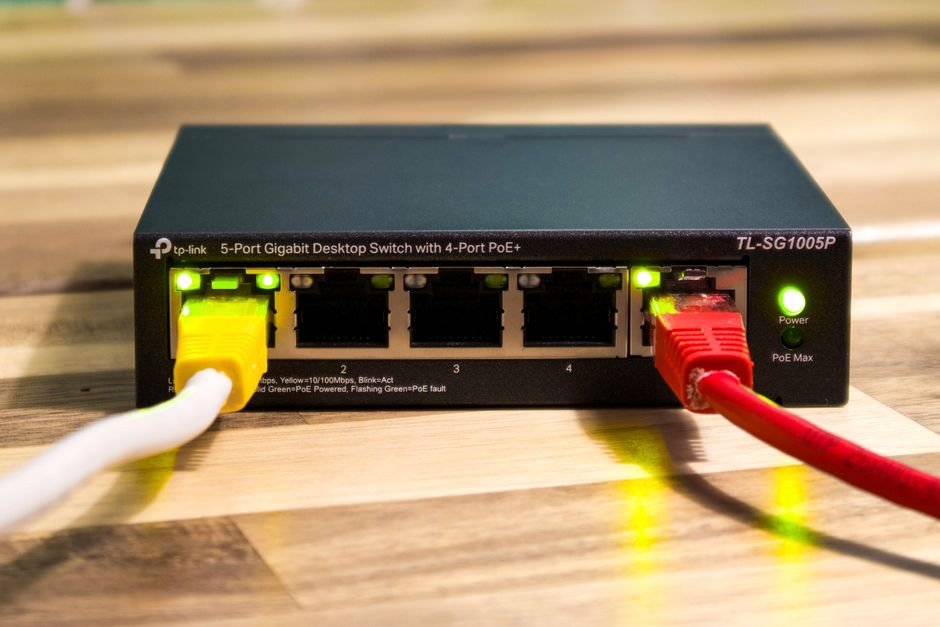

Streaming quality depends on far more than just your subscription tier or the device you use. One of the most overlooked factors is your network connection type. Many viewers assume that modern Wi-Fi is fast enough for anything, but when it comes to high-definition and 4K IPTV streaming, the differences between wireless and wired connections are measurable and significant. Understanding how using an Ethernet cable instead of Wi-Fi affects your picture quality can transform your streaming experience from frustrating to flawless.
The Science Behind Wired vs. Wireless Streaming
Wi-Fi is convenient, but convenience often comes at a cost. Wireless signals travel through the air, where they compete with interference from neighboring networks, household appliances, walls, and even microwaves. Every time your signal degrades or drops for even a fraction of a second, your streaming device must compensate — often by reducing video quality or buffering. How using an Ethernet cable instead solves this is straightforward: a physical cable creates a dedicated, direct pathway between your router and your streaming device, eliminating the vast majority of interference issues entirely.
According to Wikipedia’s overview of Ethernet technology, wired connections have been the backbone of reliable networking for decades precisely because of their consistency and low error rates. This reliability translates directly into smoother video streams with fewer interruptions.
How Using an Ethernet Cable Instead of Wi-Fi Reduces Buffering
Buffering is the enemy of immersive viewing. It breaks concentration, ruins live sports moments, and makes premium content feel anything but premium. The root cause of most buffering is not slow internet — it is inconsistent internet. Wi-Fi connections fluctuate constantly based on signal strength, channel congestion, and distance from the router.
When you understand how using an Ethernet cable instead stabilizes your connection, you realize why so many serious IPTV users make the switch. A wired connection delivers consistent speeds without the peaks and valleys that wireless signals naturally produce. For IPTV streaming specifically, where a continuous data stream must arrive in perfect sequence to render a clean picture, that consistency is everything.
At Zenova TV, our infrastructure is built to deliver the highest quality streams possible, but the final leg of that journey — from your router to your device — is entirely in your hands. Choosing a wired connection ensures that the quality we work hard to provide actually reaches your screen intact.
Picture Quality Improvements You Can Actually See
The visual impact of switching to a wired connection is not theoretical — it is visible. Here is what Zenova TV subscribers consistently report after making the change:
- Sharper image resolution: Streams maintain their original resolution rather than dynamically downscaling during moments of network weakness.
- Better color accuracy: High dynamic range (HDR) content requires a stable, high-bandwidth connection. Compression artifacts caused by weak Wi-Fi destroy the subtle color gradients that make HDR worthwhile.
- Reduced motion blur: Fast-moving content like sports or action films suffers heavily from micro-stutters caused by packet loss on wireless connections.
- Eliminated freezing and screen tearing: These frustrating phenomena are almost entirely eliminated when using a wired connection.
- Faster channel switching: Wired connections handle the data burst needed to load a new channel significantly faster than wireless alternatives.
How Using an Ethernet Cable Instead Handles Latency and Packet Loss
Latency refers to the delay between data being sent and received. Packet loss refers to data that simply never arrives. Both are far more common on wireless connections than wired ones. For live IPTV streams, even minor packet loss causes visual corruption, audio desynchronization, and stream interruptions. How using an Ethernet cable instead addresses these issues is by maintaining a physical connection that does not rely on signal strength — the data either flows or it does not, and when the cable is functioning, it flows reliably and quickly.
If you want to explore more about optimizing your Zenova TV experience with proper network setup, our detailed guide at Zenova TV’s streaming optimization resource covers everything from router placement to device configuration for the best possible picture quality.
Practical Steps for Switching to a Wired Connection
Making the switch is simpler than most people expect. You do not need professional installation or expensive equipment. Here is a basic approach:
- Measure the distance between your router and your TV or streaming device to determine cable length needed.
- Purchase a Cat6 or Cat7 Ethernet cable for optimal performance at an affordable price.
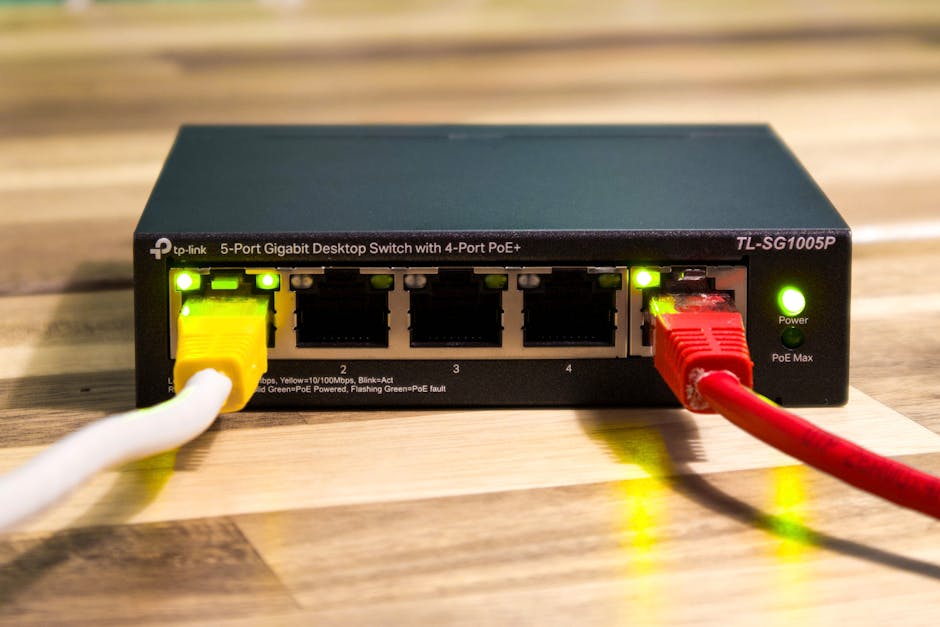
- Connect one end to your router’s LAN port and the other to your device’s Ethernet port.
- Update your device’s network settings to prioritize the wired connection.
- Run a speed test before and after to confirm the improvement in consistency.
Understanding how using an Ethernet cable instead of your current wireless setup fits into your home layout is the key first step. Cable management solutions like raceways or under-carpet cable covers make it easy to run cables neatly without drilling holes or creating hazards.
Is Ethernet Worth It for Every Viewer?
For casual browsing, Wi-Fi is perfectly adequate. But for IPTV streaming — especially at 4K, with Dolby Audio, or during live broadcasts — the advantages of a wired connection are undeniable. How using an Ethernet cable instead of Wi-Fi pays off depends on your current experience. If you are satisfied with your stream quality and never encounter buffering, you may not need to change anything. However, if you have ever experienced freezing, pixelation, or audio lag, a wired connection should be your very first troubleshooting step.
Zenova TV subscribers who upgrade to Ethernet almost universally report that it was the single most impactful change they made to improve their streaming experience — more significant than upgrading their subscription or changing their device.
Frequently Asked Questions
Does Ethernet really make a difference for IPTV streaming?
Yes, absolutely. IPTV requires a continuous, stable data stream. Ethernet provides consistent speeds and near-zero packet loss, which directly improves picture quality, reduces buffering, and eliminates most freezing issues that Wi-Fi connections commonly cause.
How using an Ethernet cable instead of Wi-Fi affects streaming speed?
Ethernet does not necessarily increase your maximum internet speed, but it dramatically improves speed consistency. Wi-Fi speeds fluctuate constantly, while Ethernet maintains a stable throughput that your streaming service can rely on to deliver the highest available quality tier.
What type of Ethernet cable is best for 4K IPTV streaming?
Cat6 cables are more than sufficient for 4K streaming at typical home internet speeds. Cat7 offers additional shielding if you have longer cable runs or if the cable passes near electrical interference sources. Either choice will provide a massive improvement over Wi-Fi.
Can I use a powerline adapter instead of running an Ethernet cable?
Powerline adapters are a middle-ground solution that uses your home’s electrical wiring to carry network data. They are better than Wi-Fi in most cases but still do not match the reliability of a direct Ethernet cable connection. For the best picture quality, a direct cable is always preferred.
Will switching to Ethernet fix audio sync issues during streams?
In many cases, yes. Audio desynchronization during streams is frequently caused by packet loss and latency spikes — both of which are dramatically reduced with a wired connection. If audio sync issues persist after switching to Ethernet, the cause is more likely a device or software configuration issue rather than a network problem.