Experience ultimate stability worldwide. Get your Buffer-Free IPTV Server with 99.9% uptime and instant secure activation. View Plans → iew Plans →


What is the Ideal Internet Speed for 4K IPTV Streaming?
Streaming television has evolved dramatically over the past decade, and 4K IPTV has become the gold standard for home entertainment. However, many viewers experience buffering, pixelation, or sudden drops in quality — all of which typically point to one root cause: insufficient internet speed. Understanding what is the ideal internet speed fo 4K IPTV streaming is essential if you want a smooth, uninterrupted viewing experience. At Zenova TV, we help thousands of subscribers get the most out of their premium IPTV service, and internet speed is always one of the first topics we address.
Why Internet Speed Matters for 4K IPTV
Unlike traditional cable TV, IPTV delivers content entirely over your internet connection. This means your network bandwidth directly determines the quality of the video you receive. 4K resolution, also known as Ultra HD, transmits roughly four times the pixel data of standard HD content. That additional data requires significantly more bandwidth to stream without compression artifacts or stuttering.
Before diving into specific numbers, it helps to understand how video streaming actually works. Video content is compressed using codecs like H.264 or the more efficient H.265 (HEVC). Your IPTV provider sends these compressed streams to your device, which then decodes and displays them. If your connection cannot supply data fast enough to match the stream’s bitrate, you experience buffering. According to Wikipedia’s article on Internet Television, IPTV services depend heavily on a stable, high-bandwidth connection to deliver reliable video quality.
What is the Ideal Internet Speed fo 4K IPTV? The Numbers You Need
So, what is the ideal internet speed fo watching 4K IPTV without any interruptions? Industry consensus and real-world testing point to the following benchmarks:
- Minimum for 4K IPTV: 25 Mbps (download speed)
- Recommended for 4K IPTV: 40–50 Mbps
- Ideal for 4K IPTV with multiple devices: 100 Mbps or higher
While 25 Mbps is technically the floor for 4K streaming, it leaves virtually no headroom for other devices or background activity on your network. At Zenova TV, we consistently recommend a minimum of 40 Mbps dedicated to your IPTV stream for a truly premium experience. If other family members are browsing, gaming, or video calling simultaneously, you should aim for 100 Mbps or more to avoid any quality degradation.
Download vs. Upload Speed: Which One Actually Matters?
When people ask what is the ideal internet speed fo IPTV streaming, they often overlook the distinction between download and upload speeds. For IPTV viewing, download speed is the critical metric. Your device is primarily receiving data from the server, so your download bandwidth is what determines stream quality. Upload speed matters more for video calls or live streaming your own content, not for consuming IPTV.
Always run a speed test specifically for download speed before troubleshooting IPTV quality issues. Free tools like Speedtest.net or Fast.com can give you an accurate snapshot of your current connection performance.

Factors Beyond Raw Speed That Affect 4K IPTV Quality
Knowing what is the ideal internet speed fo 4K IPTV is only part of the equation. Several additional factors influence your streaming experience:
- Latency (Ping): High latency causes delays in data packets reaching your device. Aim for ping below 50ms for live IPTV channels.
- Network Stability: A connection that fluctuates between 60 Mbps and 10 Mbps will cause more problems than a consistent 30 Mbps connection.
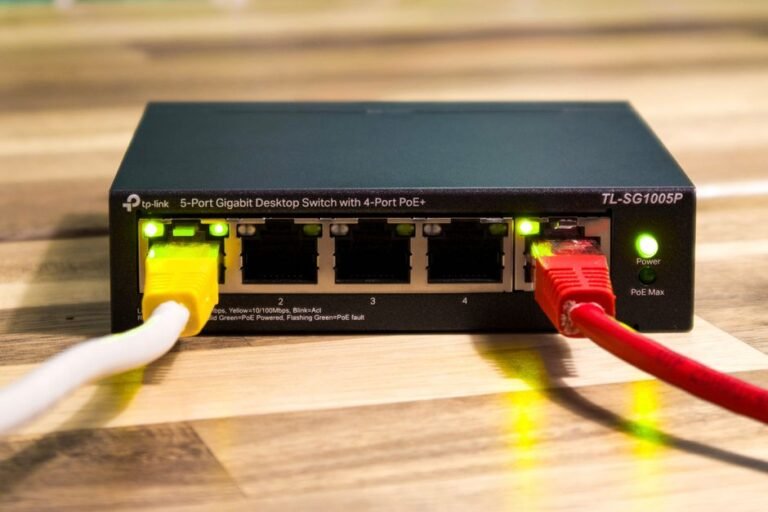
- Wi-Fi vs. Ethernet: Wired Ethernet connections are always more stable and faster than Wi-Fi. If possible, connect your streaming device directly to your router using an Ethernet cable.
- Router Quality: An outdated router can bottleneck even a fast internet plan. A modern dual-band or tri-band router significantly improves streaming reliability.
- ISP Throttling: Some internet service providers intentionally slow down streaming traffic during peak hours. A VPN can sometimes help circumvent this, though connection speeds may vary.
How Many Devices Are on Your Network?
This is one of the most overlooked aspects when determining what is the ideal internet speed fo your household. Every device connected to your network consumes bandwidth, even when you think it’s idle. Smart TVs, phones, tablets, gaming consoles, and smart home devices all add to your total bandwidth usage. A household with ten connected devices needs substantially more bandwidth than a single-person apartment with one streaming device.
As a general rule, add approximately 5–10 Mbps per active device beyond your IPTV stream. For households with heavy usage, a 200 Mbps or even 500 Mbps internet plan is not excessive — it is practical.
Optimizing Your Setup for the Best 4K IPTV Experience
Once you’ve established that your internet speed meets the requirements, there are several practical steps you can take to further enhance your Zenova TV streaming experience:
- Place your router in a central location, elevated off the floor, away from walls and electronic interference.
- Restart your router regularly to clear cached data and refresh your IP allocation.
- Use Quality of Service (QoS) settings in your router to prioritize IPTV traffic over other devices.
- Close unnecessary background apps and browser tabs on your streaming device.
- Consider upgrading to a fiber-optic internet connection if you frequently experience buffering despite having adequate speed on paper.
For the latest tips, updates, and streaming guides from our team, visit the Zenova TV News section where we regularly publish expert advice tailored specifically for our subscribers.
Frequently Asked Questions
1. What is the ideal internet speed fo 4K IPTV on a single TV?
For a single television streaming 4K IPTV, a minimum of 25 Mbps download speed is required, but 40 Mbps or more is recommended for consistent, buffer-free quality. This ensures enough headroom for minor network fluctuations.
2. Can I watch 4K IPTV on a 10 Mbps connection?
A 10 Mbps connection is not sufficient for 4K IPTV. At that speed, you would be limited to HD or standard definition content. Attempting 4K at 10 Mbps will result in constant buffering and poor picture quality.
3. Does Wi-Fi work well for 4K IPTV streaming?
Wi-Fi can work for 4K IPTV if you have a strong signal and a modern router, but a wired Ethernet connection is always preferable. Wi-Fi signals can be interrupted by walls, appliances, and neighboring networks, which causes instability.
4. How do I test if my internet is fast enough for Zenova TV in 4K?
Run a speed test at Speedtest.net or Fast.com. If your download speed consistently shows 40 Mbps or above and your ping is under 50ms, your connection should handle 4K IPTV from Zenova TV without issues.
5. Will upgrading to fiber internet improve my IPTV experience?
Absolutely. Fiber-optic connections offer not only higher speeds but also significantly greater stability and lower latency compared to cable or DSL. If 4K IPTV streaming is a priority in your home, fiber is the best long-term investment you can make for your network infrastructure.